IPTV on Nordic Waters: Streaming Setup for Boats & Cabins 2026
September 9, 2026 · 7 min read
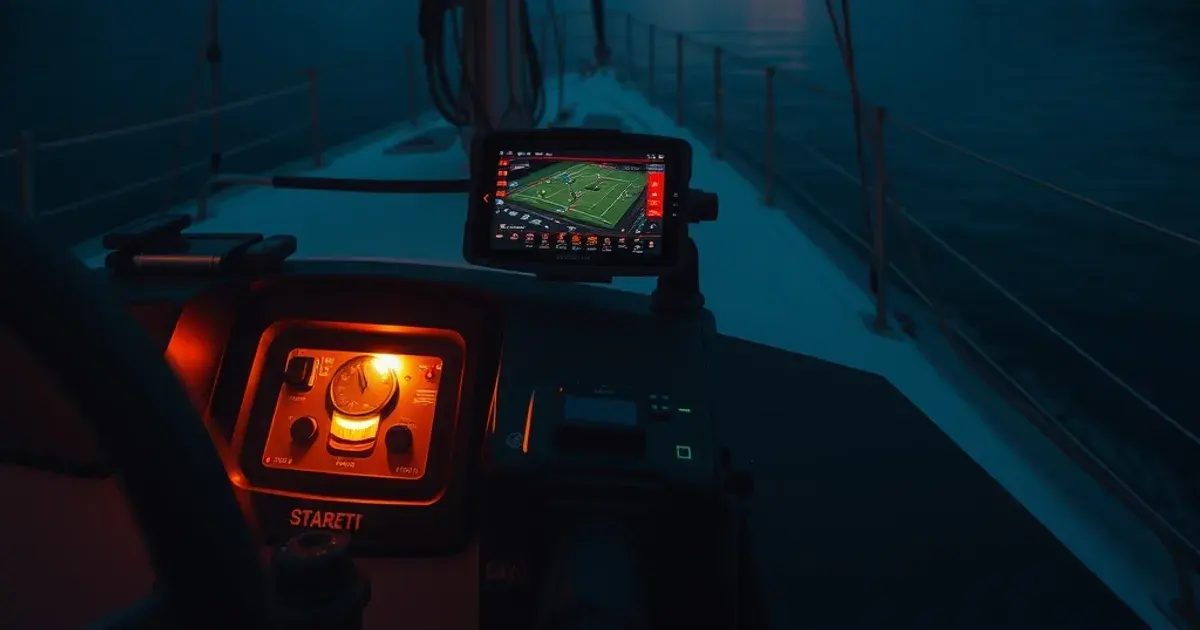
September 2026 is peak season for two very different Nordic habits colliding: boat owners and cabin residents are squeezing the last weeks of open water out of the year, and football fans are locked onto their screens. The Champions League league phase is already underway (knockouts don't start until February 2027), Eliteserien is in its final stretch, and SHL preseason is ramping up ahead of a full winter schedule. That's exactly when "no buffering IPTV" searches spike every year, as people test whether their setup can survive live sport before the real Q4 fixture pile-up hits.
Most guides written for a Nordic audience — the usual comparison sites covering generic device setup — assume you're sitting on a fixed fiber connection in an apartment. None of them address what actually breaks streaming on the water: a satellite link that lags on kickoff, a marine WiFi router that drops when the boat rolls, a screen that's dead by halftime because nobody planned for battery drain. This guide is written specifically for that gap — for boat owners, cabin users, and sailors along Danish and Norwegian coastlines who need a setup that survives motion, salt, and unreliable bandwidth, not just a list of apps to install.
We'll cover connectivity options realistic for Nordic waters, which devices actually hold up in marine conditions, how to configure a player so it doesn't fall apart on a weak connection, and a pre-sailing checklist so match day doesn't turn into a troubleshooting session anchored offshore.
Why Nordic boat owners choose IPTV over satellite TV packages
Traditional marine satellite TV packages were built for a different era: a fixed dish, a long-term contract, and a channel bundle that doesn't move with you. IPTV works differently — it's just internet video, which means the same subscription that works in your cabin living room also works from the cockpit, a mooring in the Oslofjord, or a summer house on Zealand, as long as you have a connection. That flexibility matters more than the channel count for most boat owners: you're not paying for a satellite installation that's fixed to one hull.
The tradeoff is that IPTV is only as reliable as your internet, which on the water is never guaranteed the way it is on land. That's the honest starting point for this whole guide — IPTV on a boat isn't a "set it and forget it" upgrade, it's a system with a weak link (connectivity) that you need to plan around deliberately. Get that part right and the rest — device choice, app settings, content strategy — falls into place.
For context on how this compares to a land-based multi-device setup, our guide on setting up IPTV across a family home covers the wired side of the equation in detail: /blog/iptv-multi-room-family-setup-guide. On a boat, the equivalent of "which room gets the signal" becomes "which device gets priority when bandwidth is scarce" — a theme we come back to throughout this piece.
Not sure your boat's connection can handle a full 90 minutes of live streaming?
Internet options on Nordic waters: Starlink, marine WiFi, cellular boosters, offline fallbacks
Starlink Maritime is the most capable option for genuinely offshore streaming — it maintains a link far beyond where cellular coverage disappears, and it handles the swell and roll of a moving vessel better than older satellite systems designed for stationary use. The catch is cost and power draw; it's the right call for extended cruising, not for a weekend trip along a fjord where cellular coverage is already solid.
For coastal sailing in Danish waters and along most of the Norwegian coastline, a 4G/5G cellular router with an external antenna is usually the more practical choice. Nordic mobile networks have unusually good coastal coverage compared to open ocean elsewhere, which is why cellular-first setups outperform satellite for day sailing and short hops between marinas. A dedicated marine WiFi router that bonds multiple SIM cards (from different carriers) adds resilience — if one network has a dead spot, the router fails over to the other automatically.
Whatever you use as your primary link, treat coverage gaps as a certainty, not an edge case. Fjords in particular create shadow zones where cliffs block cellular signal entirely, sometimes for stretches of open water. This is where an offline content strategy earns its keep: downloading a match replay, a documentary series, or kids' content before you leave the marina means a dead zone is an inconvenience, not a blackout. We go deeper on connection prioritization and how to avoid your ISP or carrier quietly capping streaming quality in our piece on stopping throttling for low-latency IPTV: /blog/stop-isp-throttling-iptv-low-latency-2026.
If you're specifically chasing live football at sea, our earlier guide on sailing the Nordic Premier League season with IPTV covers scheduling around tides and coverage windows: /blog/iptv-boat-sailing-nordic-premier-league-2026.
Device resilience in marine conditions: which players handle salt spray and motion
Salt air is corrosive to exposed ports and connectors over a full season, even below deck. A sealed streaming stick or box kept in a dry, ventilated cabin locker — not left in the cockpit — will outlast one mounted anywhere near spray. If you do want a screen visible from the helm, look for marine-rated or waterproof-housing displays rather than adapting a consumer tablet; condensation inside a standard tablet from temperature swings between a cold cabin and a warm engine compartment is a more common failure point than people expect.
Motion matters too. A boat underway or rocking at anchor is harder on cable connections than anything in a house — HDMI and power cables should be secured, not just plugged in and left to work loose. Where possible, favor devices with WiFi-only setups over anything relying on a fragile physical Ethernet run to a moving helm station; for a fixed cabin or cottage installation, though, wired is still the more stable choice when it's an option, which our Ethernet vs WiFi comparison for sports streaming explains in more depth: /blog/ethernet-vs-wifi-iptv-sports-streaming.
For the app layer itself, our current picks for reliable live-sports IPTV apps hold up well on marine hardware too, since the same criteria — clean reconnect handling, low-latency buffering — matter even more at sea: /blog/best-iptv-apps-live-sports-2026-football.
IPTV player settings for low-bandwidth & high-latency connections
The single most useful change you can make before a sailing trip is switching your player's stream quality from automatic to a fixed, conservative bitrate. Adaptive streaming is built for connections that fluctuate gently; a satellite or cellular link on a moving boat can swing hard and fast, and adaptive logic often reacts by stalling to renegotiate quality mid-match rather than smoothly stepping down. Locking in a lower fixed bitrate before kickoff avoids that stall entirely.
Increase the buffer size in your player's advanced settings if it's exposed — most apps default to a buffer tuned for stable home broadband, which is too thin for a link with intermittent latency spikes. A larger buffer means a few extra seconds of delay before the stream starts, but far fewer mid-match freezes. Turn off background app refresh and any other device syncing during a match; on a shared or capped connection, a phone quietly backing up photos in the background is a common, invisible cause of stuttering video.
If more than one device on board is watching, or if someone's syncing files while the match plays, that's the scenario worth solving before it happens, not during injury time — see the connection prioritization approach in our throttling guide referenced above.
Q4 2026 sports calendar: Champions League, Eliteserien, SHL fixtures you can't miss
The Champions League's league-phase format means matchdays are spread through autumn rather than bunched into the old group-stage schedule, so there isn't a single week to plan around — instead, expect a steady run of matchdays from September through December before the knockout draw in early 2027. For boat owners, that's good news: no single trip has to carry the whole season's stakes, but it also means your connection needs to hold up for a recurring cadence of matches, not just one big night.
Eliteserien is heading into its closing rounds this autumn, with the title race and relegation battle both tightening as the weather turns — exactly the stretch Norwegian coastal sailors don't want to miss while making the most of the last open-water weekends. Our dedicated Eliteserien streaming guide covers fixture-by-fixture viewing options in more detail: /blog/watch-eliteserien-iptv-streaming-guide-2026-27.
SHL's new season is ramping up through September and into a full winter schedule — relevant less for boats (Swedish ice hockey season overlaps with when most vessels are already hauled out) and more for anyone splitting time between a summer cabin and a return to land-based viewing as the season shifts indoors.
Pre-sailing checklist: testing, buffering prep, offline content download
Before you leave the marina, run a real test, not a glance at the signal bars. Open your IPTV app, start a stream, and let it run for several minutes while the boat is under power and moving — signal that looks fine tied up at the dock can behave very differently once you're underway and the antenna's line of sight changes.
Download anything you might want to watch offline — a match highlights package, a series, background content for kids — while you still have strong dockside WiFi. Don't rely on doing this over cellular once you're already out on the water; that's exactly when bandwidth is tightest and most needed for live streaming, not downloads.
Check that your device's software and app are fully updated before departure. Mid-trip updates over a weak connection are one of the more common causes of a device getting stuck mid-download with no way to finish or roll back until you're back in range of strong WiFi.
Get set up before the next Champions League matchday, wherever you're moored this season.
Troubleshooting: connection drops, battery drain, 4G failover setup
If a stream keeps dropping at the same point in a bay or under a specific headland, that's a location-based dead zone, not a device fault — note it and plan around it on future trips rather than troubleshooting the same spot every time. A dual-SIM or multi-carrier router genuinely helps here, since a dead zone for one network is rarely a dead zone for both.
Screen and streaming-box battery drain is worse on boats than people expect, partly because devices push harder to maintain a weak signal, which draws more power than a stable connection would. Keep a 12V-to-USB charging setup dedicated to your streaming device rather than sharing a single inverter outlet with everything else onboard, and consider a lower screen brightness setting for daytime viewing under sun glare — it also modestly extends runtime.
For 4G failover specifically, most marine routers let you set a primary and backup SIM or connection type; test the failover switch manually at the dock before you need it to work automatically mid-match. Discovering a failover doesn't trigger cleanly is far better learned at the marina than three miles offshore during the second half.
Frequently asked questions
Does IPTV work without a steady internet connection on a boat?
Live streaming needs an active connection at the moment you're watching, but you can offset gaps by downloading content in advance whenever you have strong dockside WiFi, so dead zones affect live sport more than your overall viewing options.
Is Starlink or a 4G router better for IPTV on Nordic waters?
For coastal day sailing around Denmark and most of Norway's coastline, a bonded 4G/5G router is usually sufficient and far cheaper to run. Starlink Maritime is worth it mainly for extended offshore cruising well beyond normal cellular coverage.
Can salt air actually damage a streaming device?
Yes, over a season salt air corrodes exposed ports and connectors. Keep streaming devices in a dry cabin locker rather than exposed near the cockpit, and use marine-rated hardware for anything mounted where spray can reach it.
Will IPTV still work in Norwegian fjords with weak signal?
Fjords create genuine shadow zones where cliffs block cellular signal, sometimes for long stretches. Treat these as certain, not occasional — download key content beforehand and use a fixed, lower stream quality setting to reduce the chance of buffering when signal returns.
How much data does watching live football use on a boat?
It depends heavily on the quality setting, which is exactly why locking your player to a conservative fixed bitrate before sailing matters — it gives you predictable, lower data use instead of an adaptive stream that spikes usage trying to maximize quality on a fluctuating connection.
Read next: the pricing page or the FAQ.