IPTV on Your Boat: Stream Nordic Sports While Sailing
September 16, 2026 · 9 min read
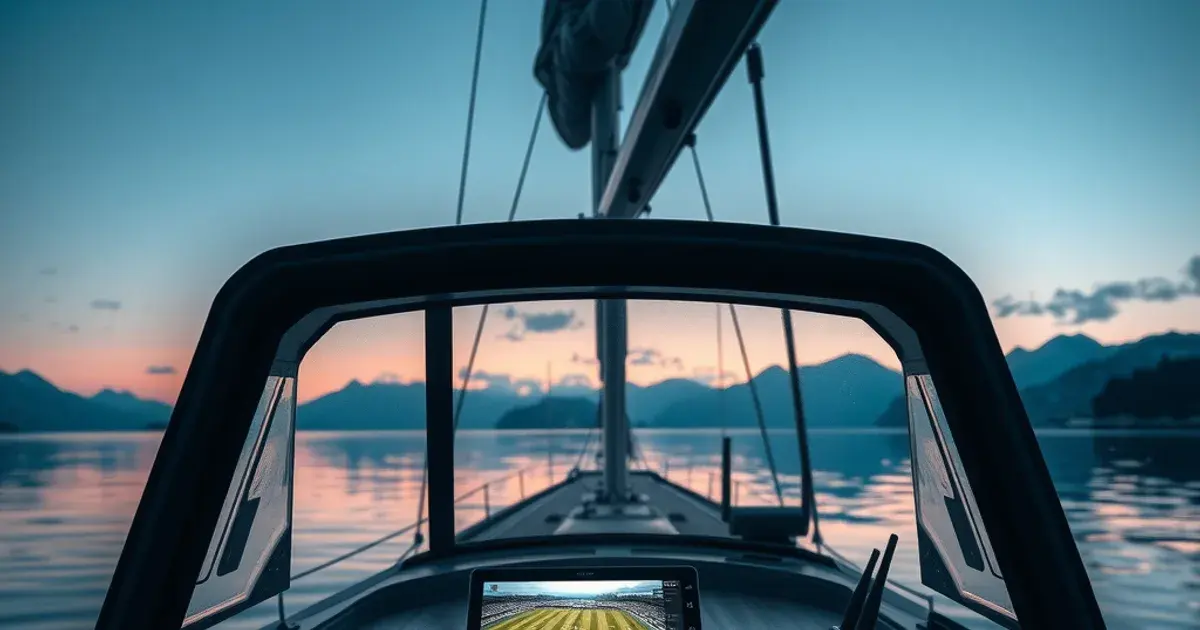
Search 'iptv til skib' today and you'll get tourism listicles, wholesale electronics catalogues, and generic Nordic channel rankings — nothing that actually addresses what happens when you're anchored off the Swedish archipelago or motoring past the Norwegian coast and want to watch the match. That gap is the point of this guide. September is peak sailing season across Scandinavia, and it overlaps almost exactly with the business end of the Eliteserien and Allsvenskan calendars, plus a dense run of Champions League matchdays through October and November. If you're spending weekends or weeks aboard right now, connectivity — not content — is the actual bottleneck.
Satellite TV packages built for fixed addresses don't travel well: dish alignment, weather sensitivity, and rigid regional lineups all work against a boat that moves. IPTV solves the content-delivery half of the problem instantly, because it only needs an internet connection, not a satellite lock. The half nobody explains is the internet itself — what actually works on open water, in a marina, or tucked into a fjord with one bar of signal. That's what this guide covers, end to end.
We'll go through connectivity options (Starlink Maritime, cellular boosters, marina WiFi), which devices hold up to salt air and motion, how to configure streaming for a connection that drops and recovers instead of failing cleanly, the actual fixture calendar worth planning around through Q4 2026, and how to split matches across cabins without fighting over one screen.
Why Nordic Boat Owners Switch to IPTV Over Satellite TV Packages
Marine satellite TV was never really built for small and mid-size boats. The dish needs a clear, stable sky view and constant micro-adjustment as the boat rocks or changes heading — doable on a large motor yacht with a stabilized dome, painful on anything smaller. Coverage is also regional: a package bought for Swedish waters can lose channels the moment you cross toward Danish or Norwegian territory, which is a real problem if your cruising plan includes hopping between countries over a season.
IPTV sidesteps both issues because it rides on whatever internet connection you already have — satellite broadband, cellular, or marina WiFi — rather than requiring its own dedicated antenna and regional licensing. The same subscription and the same app work whether you're moored in Stockholm's archipelago or crossing to Danish waters, because the content is delivered over IP, not beamed regionally. That portability is the entire appeal for anyone who actually moves the boat rather than leaving it dockside.
The tradeoff is that IPTV's reliability is now tied to your internet connection's reliability, which is a genuinely different problem to solve than satellite dish alignment — and it's the one most guides skip entirely. The rest of this article is about solving that problem specifically for Nordic waters.
Not sure which connectivity setup fits your boat and route?
Internet Options on Nordic Waters: Starlink Maritime, Cellular Boosters, Marina WiFi
Starlink Maritime is the most capable option for boats that spend real time offshore, since it doesn't depend on proximity to a cell tower or coastline. It works well across the Skagerrak, the Kattegat, and open stretches of the Norwegian Sea where cellular coverage thins out or disappears. The tradeoff is hardware cost, power draw, and a flat marine dome that needs a genuinely clear sky view — awkward on a boat with a tall mast, radar arch, or bimini in the way.
Cellular is usually the better everyday answer for coastal cruising, which describes most Nordic sailing — hugging the Swedish east coast, threading the Norwegian fjords, island-hopping in the archipelago. A marine-rated cellular router with an external antenna and a multi-SIM setup (so you're not stranded when one carrier's coverage drops near a border or in a fjord shadow) covers the vast majority of a typical cruising route at a fraction of Starlink's cost and power draw.
Marina WiFi is fine for downloading content in advance but rarely reliable enough for live streaming a match — shared bandwidth across dozens of boats collapses fast during peak evening hours, which is exactly when kickoff happens. Treat marina WiFi as a top-up and download tool, not your primary source for live sport.
For most Nordic sailors, the realistic setup is layered: cellular as the daily driver, Starlink (or a Starlink day-pass, where available) for open-water stretches beyond cell range, and marina WiFi for pre-downloading anything you can watch on tape delay. If ISP throttling on your home connection has ever wrecked a match at full resolution, the same low-latency tuning principles apply here — see /stop-isp-throttling-iptv-low-latency-2026 for the settings that matter most when bandwidth is the constraint, not the source.
Device Resilience for Boats: Which IPTV Players Handle Salt Spray & Motion
Consumer streaming boxes and sticks are built for a stationary shelf in a climate-controlled living room, not a saloon that pitches in a swell or a cockpit exposed to salt spray. The failure modes on a boat are specific: condensation inside a plastic housing after a temperature swing, HDMI and power connectors working loose from vibration, and corrosion creeping into any port that's ever been touched by salt air, even indirectly.
The practical fix isn't necessarily buying marine-hardened electronics — it's choosing devices that are easy to seal, mount securely, and replace cheaply if one does fail. A compact streaming stick or box tucked into a dry, ventilated locker with a short, well-secured cable run outlasts an exposed setup regardless of how rugged its spec sheet claims to be. Smart TVs built into a saloon are fine as the display, but keep the actual streaming hardware separate and protected rather than relying on a TV's built-in apps, which are harder to swap out if they degrade.
If this is your first time setting up IPTV on any device, the fundamentals — app installation, activation, and first playback — are covered in /how-to-watch-viking-iptv-first-time-setup, and that process is identical whether the device lives in a living room or a nav station. For choosing which player actually performs best for live sport specifically, including buffering behavior under load, see /best-iptv-apps-live-sports-2026-football.
Streaming Setup for Low-Bandwidth & High-Latency Offshore Connections
Offshore connections rarely fail outright — they degrade, with latency spikes and short dropouts that a home broadband connection almost never produces. The single highest-impact change is manually capping your stream quality rather than leaving it on automatic. Automatic bitrate switching on a fluctuating marine connection tends to oscillate between quality levels constantly, which produces more visible stutter than just locking to a lower, stable resolution and leaving it alone.
Increase buffer length wherever your player exposes the setting. A larger buffer means a few extra seconds of delay before playback starts, but it absorbs the short latency spikes typical of satellite and cellular links at sea without triggering a rebuffer every time the connection blips. This is the inverse of the low-latency tuning you'd want on a stable home fiber connection — offshore, buffer depth matters more than shaving seconds off the delay.
Wire the display to the router with Ethernet wherever the boat's layout allows it, rather than adding a WiFi hop on top of an already-constrained cellular or satellite uplink. Every additional wireless hop introduces its own packet loss and jitter, which compounds an offshore connection's existing instability. The tradeoffs between Ethernet and WiFi for sports streaming specifically — where dropped frames during a goal are more costly than during a quiet stretch — are broken down in /ethernet-vs-wifi-iptv-sports-streaming.
Q4 2026 Nordic Sports Calendar: Eliteserien, Allsvenskan, Champions League Fixtures You Won't Miss
The Norwegian Eliteserien runs its title race through the end of the 2026 season into early December, so the final rounds — where relegation and European qualification are typically decided — fall squarely inside the September-through-autumn sailing window. Allsvenskan wraps its regular season in November, meaning the Swedish title picture is also being settled while boats are still out on the archipelago.
European football adds a second layer worth planning around: UEFA Champions League league-phase matchdays land on 13–14 October, 20–21 October, 3–4 November, and 24–25 November in the 2026/27 calendar, with any Nordic clubs and major European sides all featuring across those windows. Stacking a domestic Eliteserien or Allsvenskan weekend fixture against a midweek Champions League matchday makes for a genuinely packed few weeks if you're cruising through this stretch.
The practical takeaway is to check fixture times before you leave the dock, not after — a Tuesday-night Champions League kickoff mid-crossing is a very different planning problem than a Saturday afternoon league match while anchored. Build your route and your anchorage choices around when you actually want a stable connection, rather than discovering the schedule conflict once you're already offshore.
Multi-Cabin IPTV: One Subscription, Different Matches in Every Room Below Deck
Boats with multiple cabins run into the same problem as multi-room houses: everyone aboard wants something different on screen, and one shared subscription needs to stretch across several screens without one person's viewing killing another's stream. The setup principles are identical to a land-based multi-room install — a capable local network distributing the signal, and a subscription plan that supports simultaneous device connections rather than a single-stream login.
The full walkthrough for setting that up, including how to avoid one device's playback degrading everyone else's, lives at /iptv-multi-room-family-setup-guide. On a boat, the one addition is bandwidth discipline: with a constrained offshore connection, running two simultaneous 4K streams below deck can starve both of them, so capping resolution per device (see the streaming setup section above) matters even more than it does on a home network with abundant fixed bandwidth.
In practice, this means the saloon can carry the main match at a stable, capped quality while a cabin runs a second fixture or highlights at a lower resolution, without either one collapsing — as long as the total demand stays inside what your cellular or satellite link can actually sustain at once.
Pre-Sailing Checklist: Testing, Buffer Tuning, Offline Content Download
Test the full chain before you leave the dock, not once you're anchored somewhere with a marginal signal. Confirm the app logs in and plays cleanly over whatever connection you'll actually be using at sea — cellular or Starlink, not the marina's WiFi, since that's not the connection you'll be relying on once you're underway.
Set your buffer and quality caps in advance rather than fumbling with settings menus once a match has already started buffering. If your player supports downloading content for offline playback, use it for anything you can watch on a delay — highlights, replays, non-live programming — so live bandwidth is reserved for matches that actually need to be watched in real time.
Charge every device fully and know your power budget: cellular routers, WiFi extenders, and streaming boxes all draw continuously, and a dead battery mid-match is a more common failure than a dropped connection. Confirm mounting is secure for anything that will be running while underway, not just at anchor.
Get every Eliteserien, Allsvenskan, and Champions League fixture streaming reliably from the deck this season.
Troubleshooting at Sea: Connection Drops, Battery Drain, 4G Failover Setup
When a stream drops mid-match, resist the urge to immediately restart the app — give the connection ten to fifteen seconds to recover on its own first, since a well-tuned buffer is often already absorbing the interruption. Restarting resets that buffer and usually costs you more time than waiting it out.
If drops are frequent rather than occasional, the fix is usually failover, not troubleshooting the stream itself: a router that automatically switches between two cellular carriers, or between cellular and Starlink, prevents a single coverage gap from taking down the whole system. This is the same logic as the layered connectivity setup covered earlier — redundancy at the network level solves problems that no amount of app-level tuning can fix.
Battery drain is the quieter failure mode. Cellular routers and boosters work harder — and draw more power — when signal is weak, which is exactly when you need them most. Monitor power draw on longer passages and have a plan to run essential connectivity gear off house batteries or shore power at anchor, separate from whatever's powering the display itself.
Frequently asked questions
Does IPTV work on a boat without Starlink?
Yes. Cellular data is the primary connection for most Nordic coastal cruising, and it's usually cheaper and lower-power than Starlink Maritime. Starlink mainly adds value on longer offshore passages beyond reliable cell coverage, not as a requirement for IPTV to work at all.
How much bandwidth does IPTV actually need at sea?
Less than most people assume if you manually cap quality instead of leaving it on automatic. A locked, moderate resolution with a deeper buffer streams far more reliably over a fluctuating marine connection than an automatic setting that keeps trying — and failing — to push higher quality.
Can I watch Eliteserien or Allsvenskan matches from Danish or international waters?
IPTV content isn't tied to regional satellite footprints the way traditional broadcast packages are, since it streams over your internet connection rather than a location-locked signal. As long as you have a working connection, the app works the same wherever you are.
What's the biggest mistake boat owners make setting up IPTV for the first time?
Testing everything at the dock on marina WiFi and assuming it'll behave the same way offshore. Marina WiFi and open-water cellular or satellite connections behave very differently — always test on the actual connection you'll rely on while underway.
Can different cabins watch different matches at the same time?
Yes, with a plan that supports multiple simultaneous connections and a local network set up to distribute the signal — the same approach used in multi-room home installs. On a boat, keep per-device quality capped so shared bandwidth doesn't get overwhelmed.
Read next: the pricing page or the FAQ.