IPTV on Your Boat: Nordic Premier League Setup 2026
August 31, 2026 · 10 min read
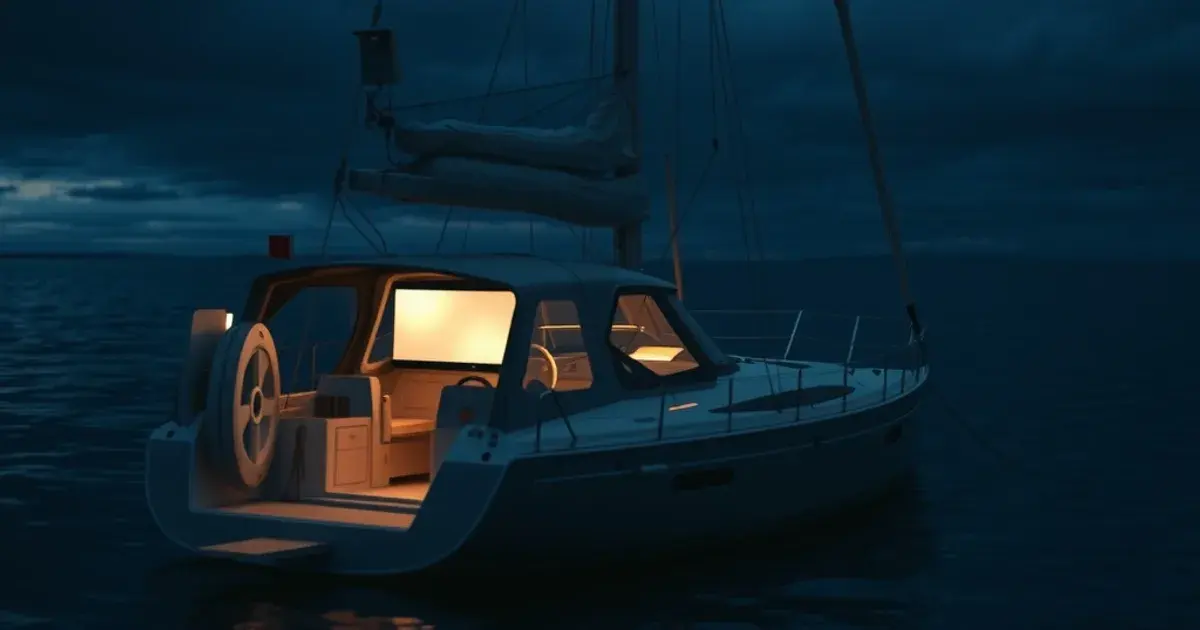
Every boat IPTV guide online is written for someone else's boat. Search 'iptv til skib' and you'll find enterprise cruise-line entertainment systems, VSAT caching servers built for a thousand cabins, and maritime IT contracts priced for commercial fleets. None of it applies if you own a 32-foot sailboat and just want to watch Sunday's match while anchored off the coast.
That gap closed on August 27, 2026, when Starlink launched its Personal Maritime plan aimed directly at private boat owners — unlimited data in territorial waters for $185/month, a fraction of the enterprise maritime packages that used to be the only option. Combined with the Premier League 2026-27 season, which kicked off August 21, and the start of the fall/winter sailing season across Scandinavian and Nordic waters, there's now a real, affordable path from 'anchored offshore' to 'watching the match live' — if you set it up correctly.
This guide is written specifically for that owner: a private sailboat or motor yacht under 40 feet, one or two Starlink terminals, and a genuine need to make streaming work within a boat's real constraints — limited battery power, satellite latency, a WiFi signal that has to reach below deck, and no IT department to call when something breaks.
Why Starlink Personal Maritime Changes Boat Entertainment
Until this plan existed, boat owners streaming at sea had two bad options: pay yacht-charter-grade VSAT rates designed for superyachts, or rely on coastal 4G that disappears the moment you're a few nautical miles offshore. Starlink's standard maritime service already solved connectivity for larger vessels, but it was priced and provisioned for commercial operators, not a family sailing on weekends.
Personal Maritime changes the economics for exactly the boat this guide targets. Unlimited data within territorial waters means you're not rationing gigabytes to save a movie for later — you can leave an IPTV app running in the background the way you would at home. The tradeoff is that the plan is still a satellite connection: it has more latency than fiber or cable, and its throughput can dip during heavy sea states or when the antenna's view of the sky is partially blocked by a mast, boom, or bimini top. None of that stops live IPTV from working well — it just means the setup choices below (device, app, buffer settings) matter more on a boat than they do on a home network.
Wondering if your boat's setup can actually handle live Premier League streaming at sea?
Nordic Premier League While Sailing
The timing lines up well for Nordic boat owners specifically. The Premier League's 2026-27 season is now underway, and Nordic audiences have historically been some of the most committed English football viewers outside the UK, alongside strong followings for domestic leagues and Nordic cup competitions. Traditional satellite TV packages on a boat mean a dish, a subscription tied to a fixed broadcast region, and often no coverage at all once you're outside a specific footprint. IPTV sidesteps all of that: as long as your Starlink connection is up, your subscription travels with you, whether you're anchored in a Swedish archipelago or moored off the Danish coast.
We've covered the general Premier League IPTV setup in detail in our dedicated guide (/blog/premier-league-iptv-2026-27-setup), which is worth reading alongside this one — it covers match-day scheduling, EPG behavior, and picking the right subscription tier. What that guide doesn't cover is the maritime layer: how satellite latency changes buffer strategy, and how to keep a stream stable when your connection is a moving antenna rather than a fixed line. That's the gap this article fills.
Practically, this means treating kickoff like a scheduled event rather than something you tune into casually. Start your stream 10-15 minutes early, let the app build a healthy buffer, and avoid switching channels or apps in the minutes before kickoff — satellite links take longer to re-establish a clean stream than a home broadband connection does.
Device Choice for Boats: Power Draw and Marine Durability
On a boat running off batteries and a limited charging system (solar, alternator, or shore power only when docked), every watt matters in a way it never does at home. A Fire TV Stick 4K is a reasonable default because it's compact and cheap to replace if humidity or a knock ends its life, but it pulls more power than a Chromecast with Google TV when actively streaming, and it needs a permanently powered USB source or wall adapter rather than running lean off a low-draw 5V rail. If your boat's electrical budget is tight — say you're running LED nav lights, a fridge, and instruments off the same battery bank — a Chromecast with Google TV is the better fit for extended time at anchor, since its idle and streaming draw are both lower.
We've written a full Firestick setup walkthrough (/blog/viking-iptv-firestick-setup-guide) and a Chromecast-specific Premier League setup guide (/blog/premier-league-chromecast-iptv-setup-guide) — both apply directly here, with the one addition that on a boat you should plan power before you plan the app. If you already own a Roku device, our Roku setup guide (/blog/iptv-on-roku-setup-guide) covers that path too, though Roku's sideloading limitations make it a less flexible choice for IPTV specifically compared to Fire TV or Google TV devices.
Whatever device you choose, budget for humidity and vibration. A cheap silicone sleeve and mounting the device somewhere it won't take direct spray or condensation will do more for its lifespan than any spec-sheet comparison. Treat the streaming device as a consumable, not a fixture — on a boat, that's the realistic expectation.
Installing Starlink on Your Boat
Antenna placement is the single biggest factor in stream reliability at sea. The dish needs a clear, unobstructed view of the sky — masts, booms, radar arches, and even a raised bimini can cause repeated signal drops as the boat swings at anchor or changes heading under sail. Most sailboat owners get the best results mounting the antenna on a pole extending above the boom, or on a stern rail mount clear of the mainsail's swing radius. Motor yachts generally have an easier time of it with a flybridge or hardtop mount.
Once the antenna has a clear view, the router becomes the next bottleneck. Starlink's included router is built for a house, not a boat's compartmentalized interior — steel bulkheads, engine compartments, and below-deck cabins all attenuate WiFi far more than drywall does. For anything beyond a single-cabin boat, plan to run an Ethernet backbone from the router to a mesh access point or two positioned centrally in the living/cabin space. Our comparison of Ethernet versus WiFi for sports streaming (/blog/ethernet-vs-wifi-iptv-sports-streaming) explains why a wired backbone with WiFi only for the 'last few meters' beats an all-wireless mesh, and that logic applies even more strongly on a boat, where steel and water make wireless propagation worse than in a house.
Cable routing below deck should follow existing conduit where possible, sealed at any deck penetration, and kept clear of bilge water. This is boat-maintenance basics, but it's worth stating because a damp Ethernet run is the most common reason a boat owner's 'flaky WiFi' turns out to be a physical-layer problem rather than a Starlink or IPTV issue.
Setting Up Your IPTV App for Life at Sea
Both IPTV Smarters Pro and TiviMate work over a satellite connection, but they behave differently under the latency and occasional packet loss that come with Starlink Maritime. TiviMate's buffer controls are more granular — you can push the initial buffer higher (in the 8-12 second range rather than the 3-5 seconds fine on home broadband) to absorb short satellite hiccups without the stream stalling outright. IPTV Smarters Pro is simpler to configure but gives you less control over that buffer window, which can mean more visible rebuffering during a rough patch of latency.
We compare both apps in more depth, including EPG reliability and general low-bandwidth tuning, in our IPTV apps guide for live sports (/blog/best-iptv-apps-live-sports-2026-football). At sea, EPG (electronic program guide) refresh reliability matters more than usual — a guide that fails to update silently because of an intermittent connection is more disruptive on a boat than at home, since you're less likely to notice until you've missed the actual kickoff time.
On format: Xtream Codes logins generally cope with connection interruptions better than raw M3U playlists, because the app can re-authenticate and resume more gracefully after a brief satellite dropout. If your subscription offers both, prefer Xtream for a boat setup.
Optimizing Live Sports Streams While Sailing
Live sport is the least forgiving content type for a satellite connection, because there's no way to pre-buffer a match the way you can a film. The most useful setting is quality auto-scaling: let the app drop from full HD to a lower bitrate automatically rather than forcing a fixed high quality that stalls every time Starlink's throughput dips. A slightly softer picture that keeps playing beats a sharp one that freezes at the moment of a goal.
DNS matters more on satellite links than most guides admit. A slow or overloaded DNS resolver adds delay on top of the satellite round-trip you're already dealing with, which compounds into noticeably slower channel switching and app loading. Setting a fast, reliable DNS on the router (rather than relying on Starlink's default) is one of the few changes that measurably improves the experience without touching the IPTV app itself. We go into this, along with other throttling-adjacent fixes, in our guide to stopping ISP throttling and cutting IPTV latency (/blog/stop-isp-throttling-iptv-low-latency-2026) — most of the DNS and connection-priority advice there applies directly to a satellite link, not just a home ISP.
Finally, resist the urge to run bandwidth-heavy background tasks (large downloads, cloud backups, video calls) during a match. On a home connection you might not notice the contention; on a satellite link with less total throughput, it's often the difference between a clean stream and one that buffers every few minutes.
Multi-Cabin WiFi and Multi-Device Setup
If more than one cabin wants to stream — one group watching the match in the saloon, another checking scores or a different channel in a forward cabin — the WiFi mesh you set up in the installation step needs bandwidth prioritization, not just coverage. Most consumer mesh systems let you set device or traffic priority; putting your primary streaming device ahead of guest phones and tablets prevents someone's background photo backup from stealing bandwidth mid-match.
Our multi-room IPTV setup guide (/blog/iptv-multi-room-family-setup-guide) covers the general principles of running several streams off one connection, and they translate directly to a multi-cabin boat — the main difference is that a boat's total bandwidth ceiling (set by the Starlink plan and current signal conditions) is usually lower and more variable than a home fiber connection, so prioritization matters more, not less.
A practical rule for boats: cap the number of simultaneous 4K streams at one, and let secondary devices run at a lower quality tier by default. Two full 4K streams competing for a satellite connection is the single most common cause of 'everything's buffering' complaints on multi-cabin boats.
Ready to bring reliable Nordic sports streaming aboard for the season ahead?
Backup Plan: Mobile Hotspot Strategy
Starlink Maritime is reliable, but it's not the only connection you should plan around. When you're close enough to shore for a usable mobile signal — inside a fjord, tucked into a marina, or coasting near populated shoreline — a phone hotspot or a dedicated marine 4G/5G router can serve as a genuinely useful failover, and in some conditions (heavy overhead obstruction, a very low satellite angle) it may even outperform the satellite link.
The setup that works best is a router configured to fail over automatically between Starlink and a mobile data SIM, so a dropped satellite connection doesn't mean a dropped stream — just a brief switch most viewers won't notice. If your router doesn't support automatic failover, keep a phone hotspot ready as a manual backup and test it before kickoff, not during it.
Watch your mobile data cap closely if you're relying on it as a real backup rather than an emergency-only option — a 90-minute match in HD can use several gigabytes, and Nordic mobile plans vary widely in how much high-speed data they include before throttling. Running a quick speed test in the 15 minutes before a big match — on both connections — tells you which one to trust that day, rather than assuming yesterday's performance still holds.
Frequently asked questions
Do I need Starlink Maritime specifically, or will the standard residential Starlink plan work on a boat?
Standard residential and even standard 'Roam' plans aren't designed for continuous use in open water and can be restricted or deprioritized outside their registered service area. The Maritime plans, including the new Personal Maritime tier, are built and licensed for use on water, which is what makes reliable IPTV streaming at sea practical in the first place.
Will IPTV work if I'm anchored far from shore, outside mobile signal range?
Yes, as long as your Starlink Maritime connection has a clear view of the sky. That's the core advantage over relying on mobile data alone — the satellite link doesn't depend on shore-based cell towers, so it keeps working well beyond where a phone hotspot would lose signal.
Which draws less power on a boat, a Fire TV Stick or a Chromecast with Google TV?
Chromecast with Google TV generally has a lower streaming and idle power draw, making it the better choice for boats running on a tight battery budget at anchor. A Fire TV Stick is a fine choice if you have steady power available, such as while docked or motoring with the alternator charging.
How much buffer should I set for live sport over a satellite connection?
A larger buffer than you'd use at home — in the 8-12 second range in apps like TiviMate that allow manual adjustment — helps the stream ride out short satellite latency spikes without stalling. It adds a small delay before you see the action, but that tradeoff is worth it for stability during a live match.
Can multiple cabins stream different channels at once over one Starlink terminal?
Yes, but plan for it explicitly rather than assuming it'll just work. Set up a wired backbone to mesh access points, prioritize your primary streaming device in the router settings, and avoid running more than one 4K stream at a time — the Starlink connection's usable bandwidth is lower and more variable than a home fiber line.
What's the best backup if my satellite connection drops during a match?
A mobile hotspot or marine 4G/5G router is the most practical fallback when you're within signal range of shore. If your router supports automatic WAN failover between Starlink and a mobile SIM, the switch happens fast enough that most viewers won't notice it mid-stream.
Read next: the pricing page or the FAQ.